Updates
What’s new in Orbi.

You can now enable ticket reselling for your events, giving attendees a secure way to resell their tickets directly through Orbi.
For events where you want more control over how tickets change hands, you can also disable regular ticket transfers and use reselling as the official way for attendees to pass their ticket on.
What’s new?
Organisers can now enable reselling individually for each ticket type.
When enabled, attendees who can no longer attend can put their ticket up for resale through Orbi instead of relying on external marketplaces, social media groups or private transactions.
This keeps the resale process connected to the original event and ticket.
How to enable ticket reselling
Open your event in the Orbi Admin view
Navigate to Tickets
Select the ticket type you want to update
Open Edit ticket
Scroll to the bottom of the ticket settings
Enable Ticket reselling
Save your changes
You can choose which ticket types within an event allow reselling.
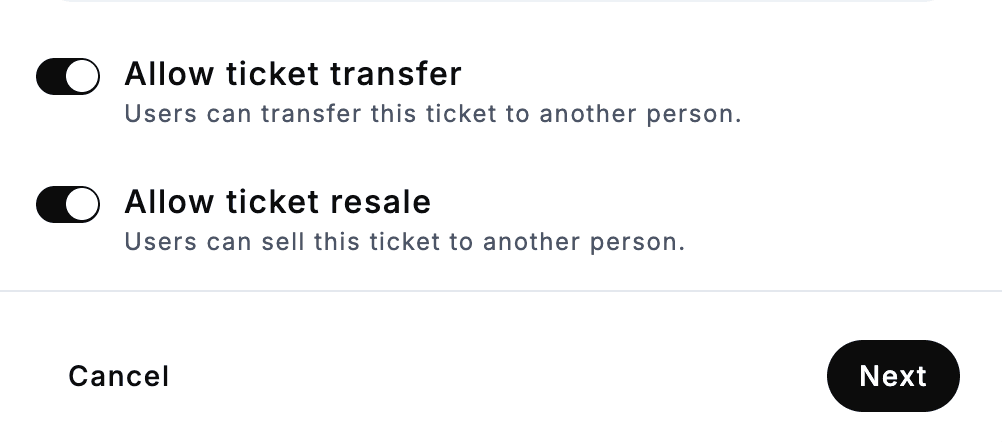
Create a controlled resale environment
For additional control, you can combine ticket reselling with disabling regular ticket transfers.
This means attendees cannot simply transfer their ticket directly to another person. Instead, tickets that need a new owner can go through Orbi's official resale flow.
This is particularly useful for popular or sold-out events where there may otherwise be a large secondary market for tickets.
Why enable ticket reselling?
Keeping resale within Orbi helps organisers create a safer and more controlled experience for attendees.
It can help:
Reduce off-platform ticket sales and private transactions
Lower the risk of fraudulent or invalid tickets being sold
Give attendees a trusted place to find and resell tickets
Keep ticket ownership within Orbi's ticketing system
Give organisers greater control over how tickets change hands
Reduce unwanted ticket scalping around popular events
For attendees, it also provides a straightforward option when plans change, without having to find a buyer and arrange the transaction independently.
Do organisers need to do anything?
If ticket transfers are already enabled for tickets to your upcoming events, ticket reselling will be enabled automatically, so no action is required.
You can still manage reselling individually for each ticket type. To make changes, open the relevant ticket in your Orbi Admin view and adjust Ticket resell in the ticket settings.