In this article
Set up Orbi Pay to receive payouts from your ticketed events by securely connecting your organization to our payment provider.
Introduction
To receive payouts from ticket sales on Orbi, you need to set up Orbi Pay. This process connects your organization to Stripe, our payment provider, and ensures that your payouts are handled securely.
Follow the steps below to complete your Orbi Pay setup.
Step 1: Open Orbi Pay setup
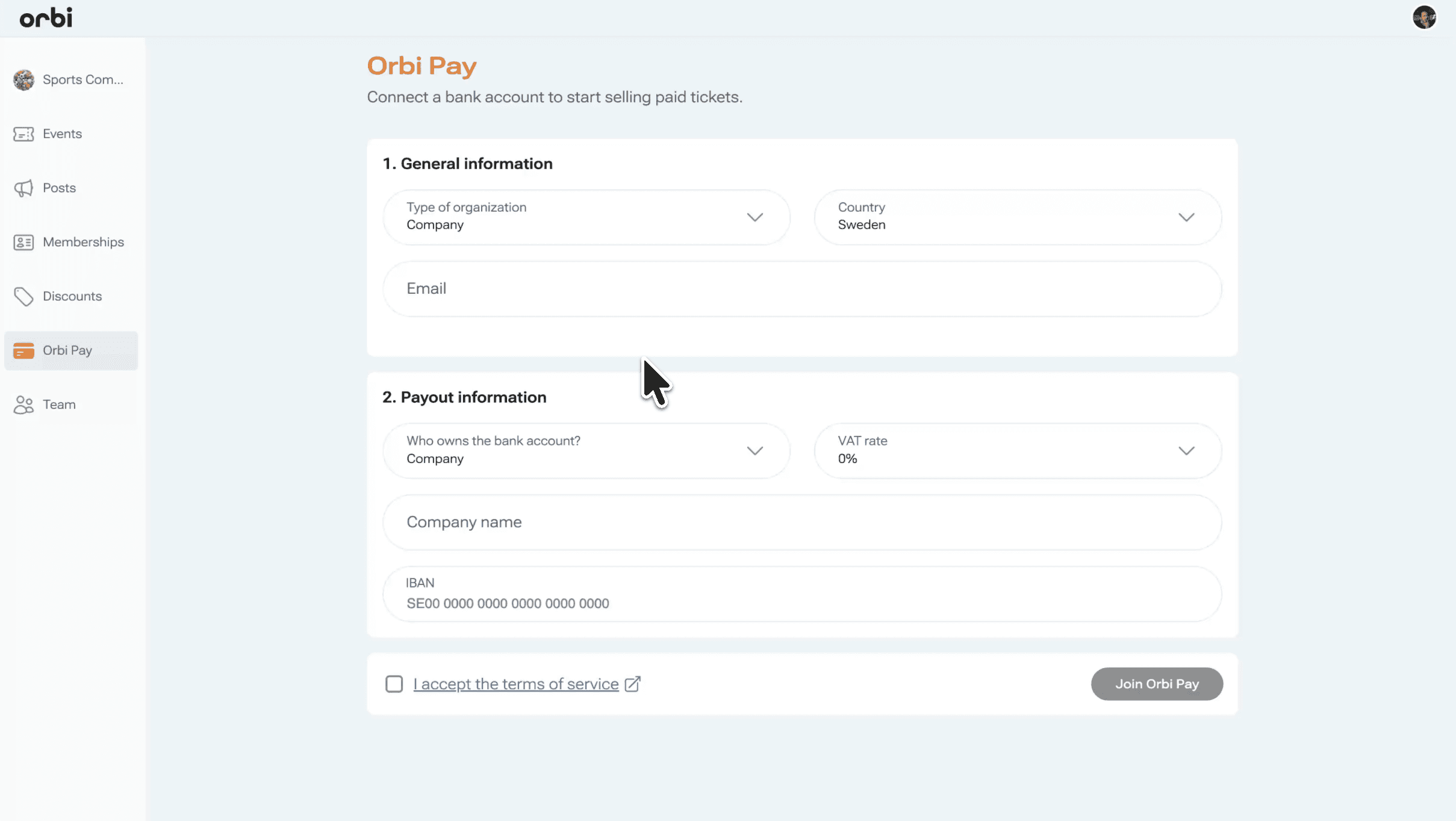
Go to the Orbi Pay section and start the setup process.
Step 2: Fill in your organization details
Complete the initial form with your organization information.
Select your organization type (we recommend Non-profit)
Choose your country
Enter a relevant email address
Step 3: Add payout information
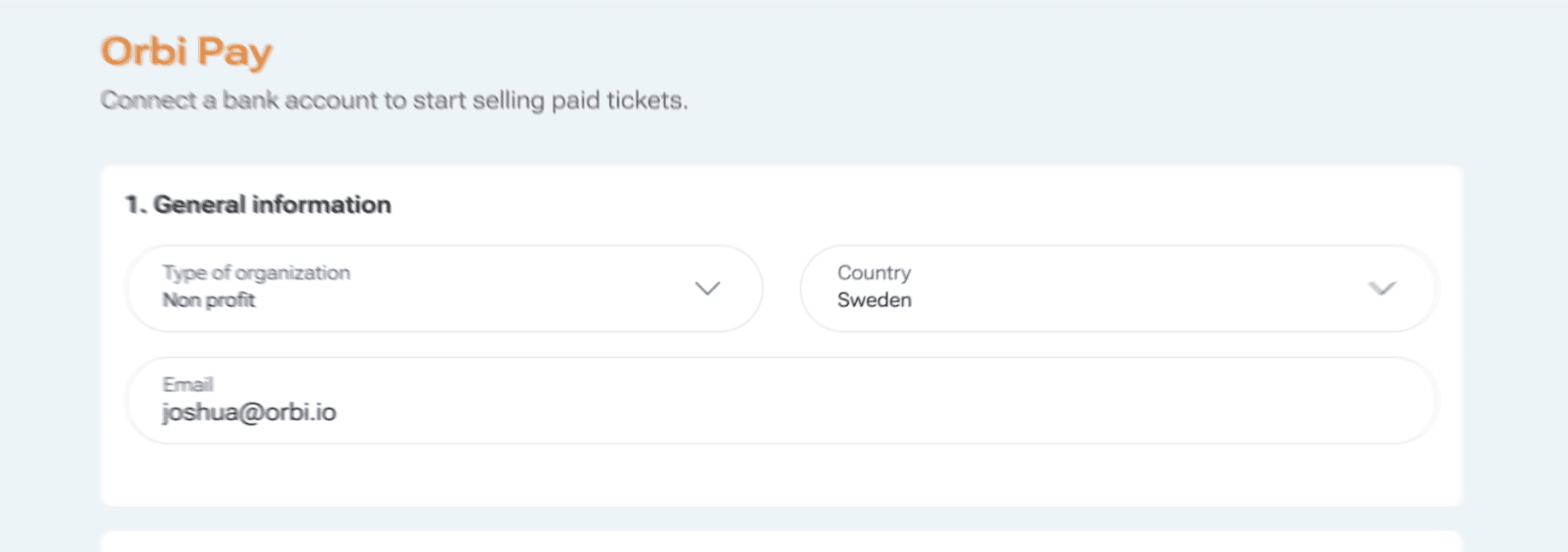
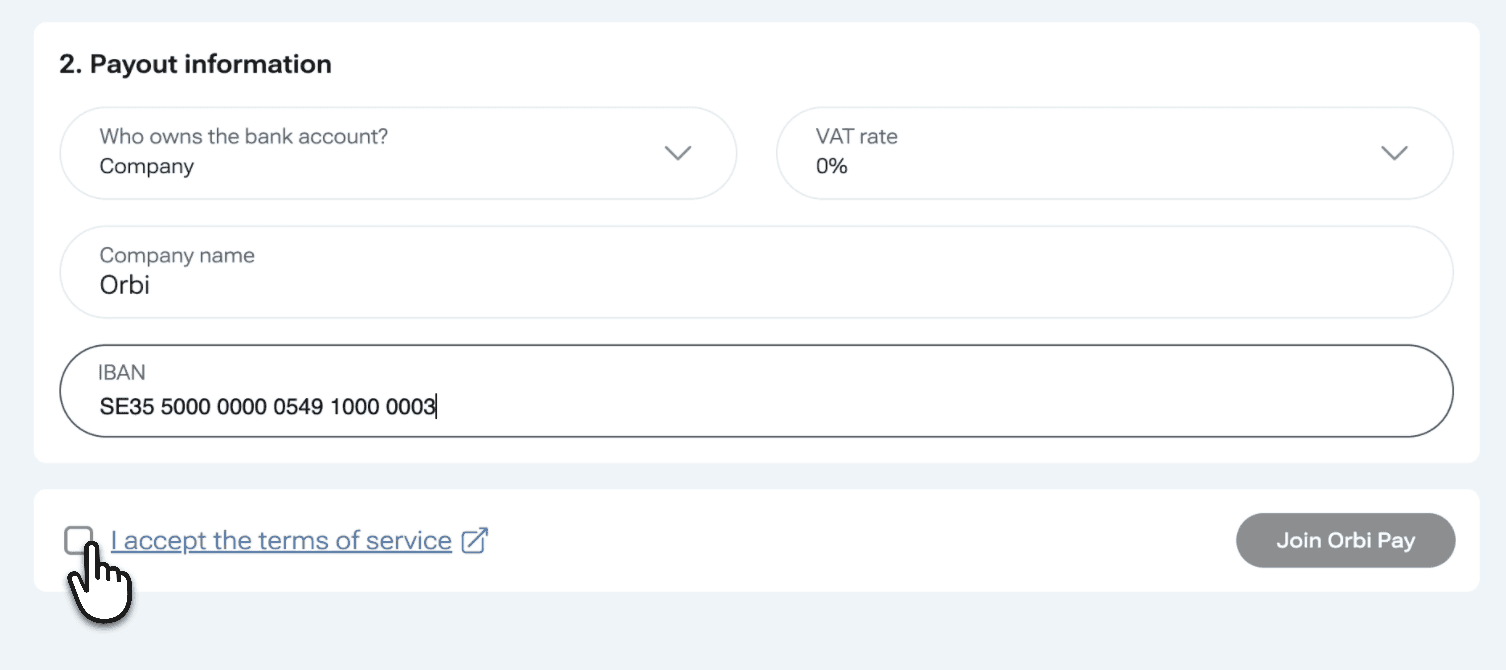
Provide your payout details:
Select Company as the business type
Set VAT rate to 0%
Enter a company name relevant to your organization
Add your bank details, including your IBAN number
Once completed, accept the terms and click Join Orbi Pay.
Step 4: Complete Stripe onboarding
You will be redirected to Stripe to finish the setup.
Fill in all required information using your official business registration documents. Make sure all details are accurate, as incorrect information may prevent approval.
Step 5: Add a representative
Stripe requires a person to represent your organization.
Assign one person as the representative
Fill in their personal details
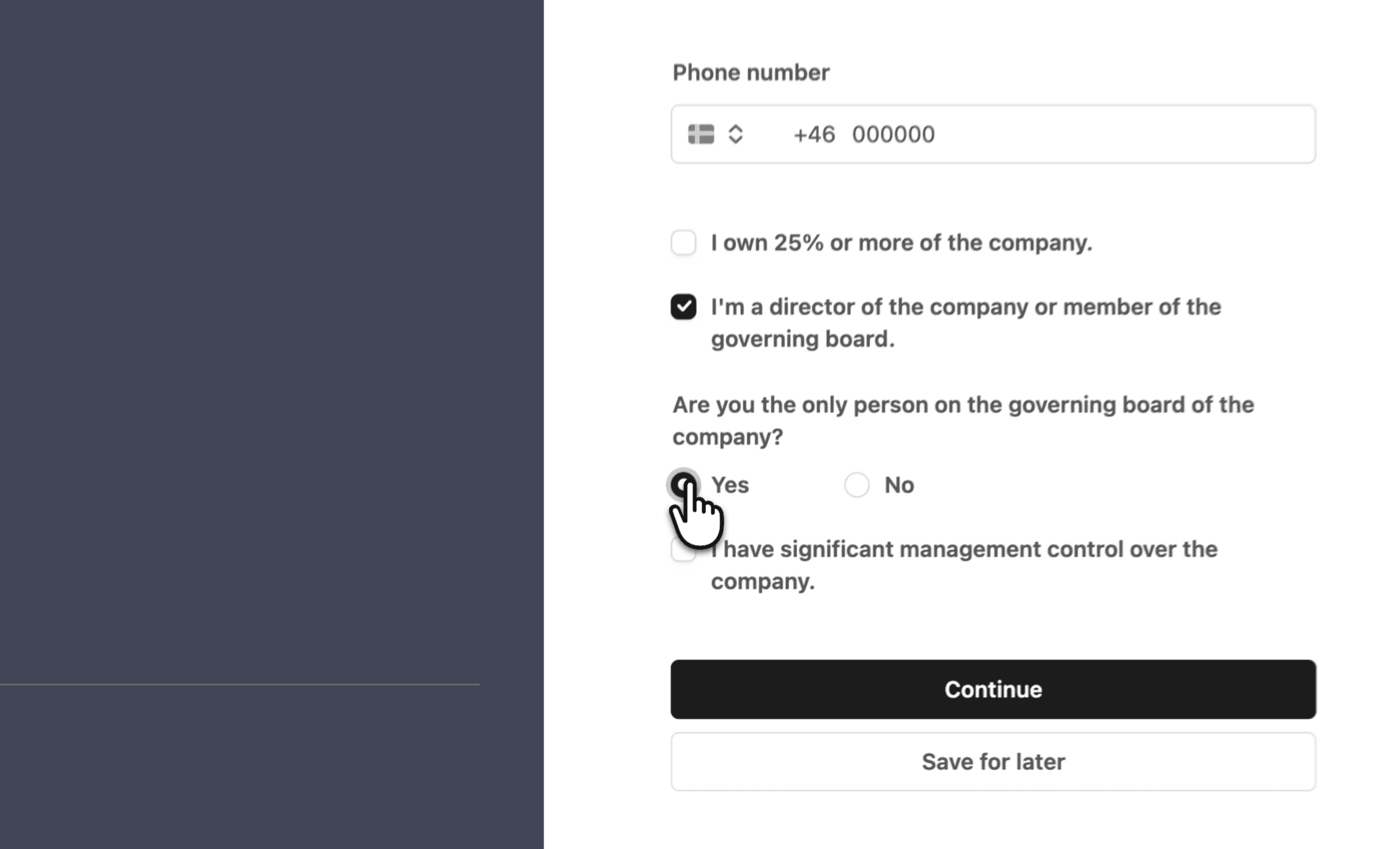
When completing the form:
Do not check the box stating ownership of 25% or more
Check the box confirming the person is a director or board member
When asked if they are the only board member, select Yes to simplify the process
Check the box confirming they have significant management control
Step 6: Confirm ownership details
Continue the process and proceed without adding owners if not required.
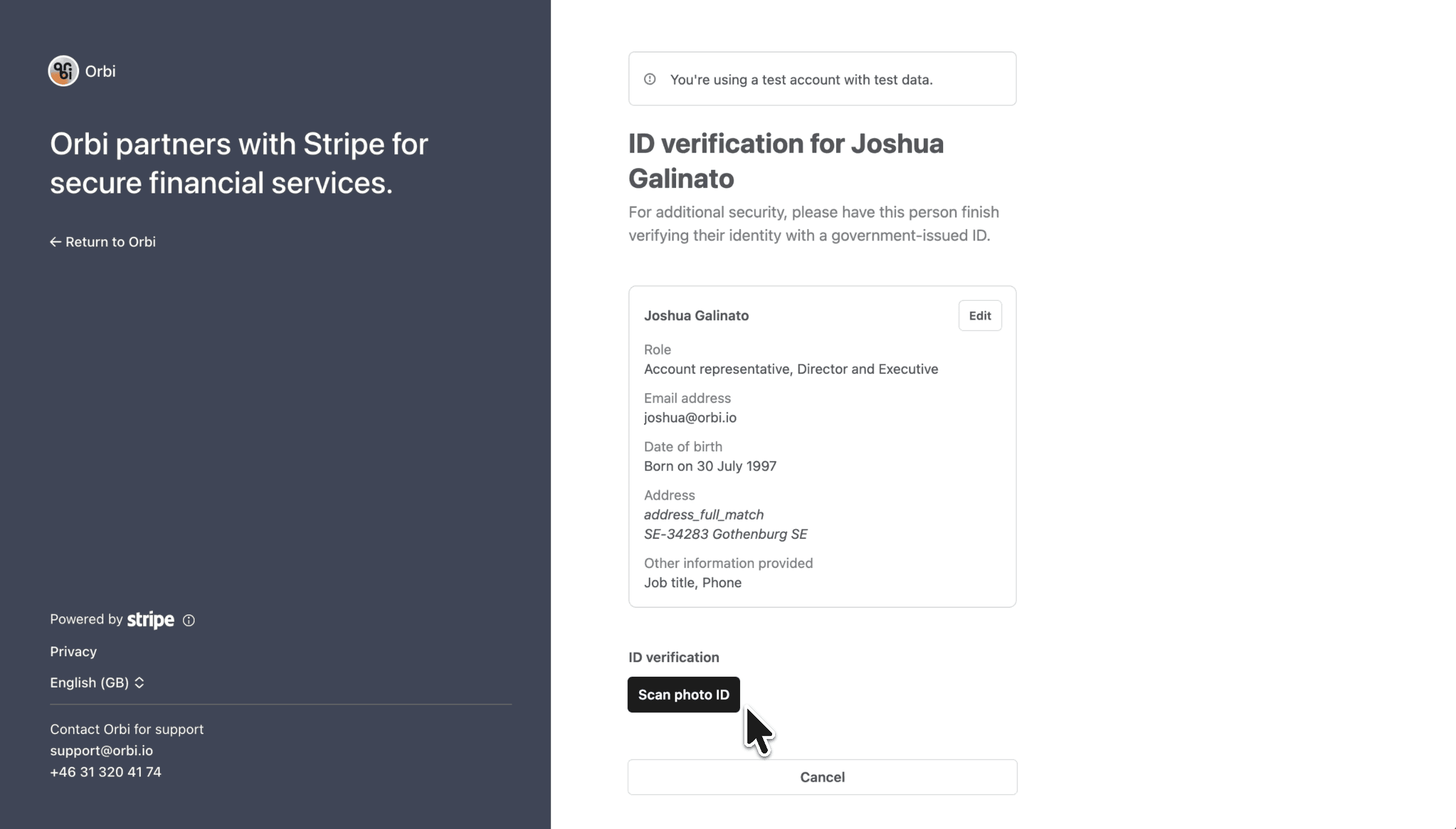
Step 7: Review and verify your identity
Review all submitted information carefully.
To verify identity:
Select your name
Click Scan photo ID
Follow Stripe’s instructions to upload and verify your identification
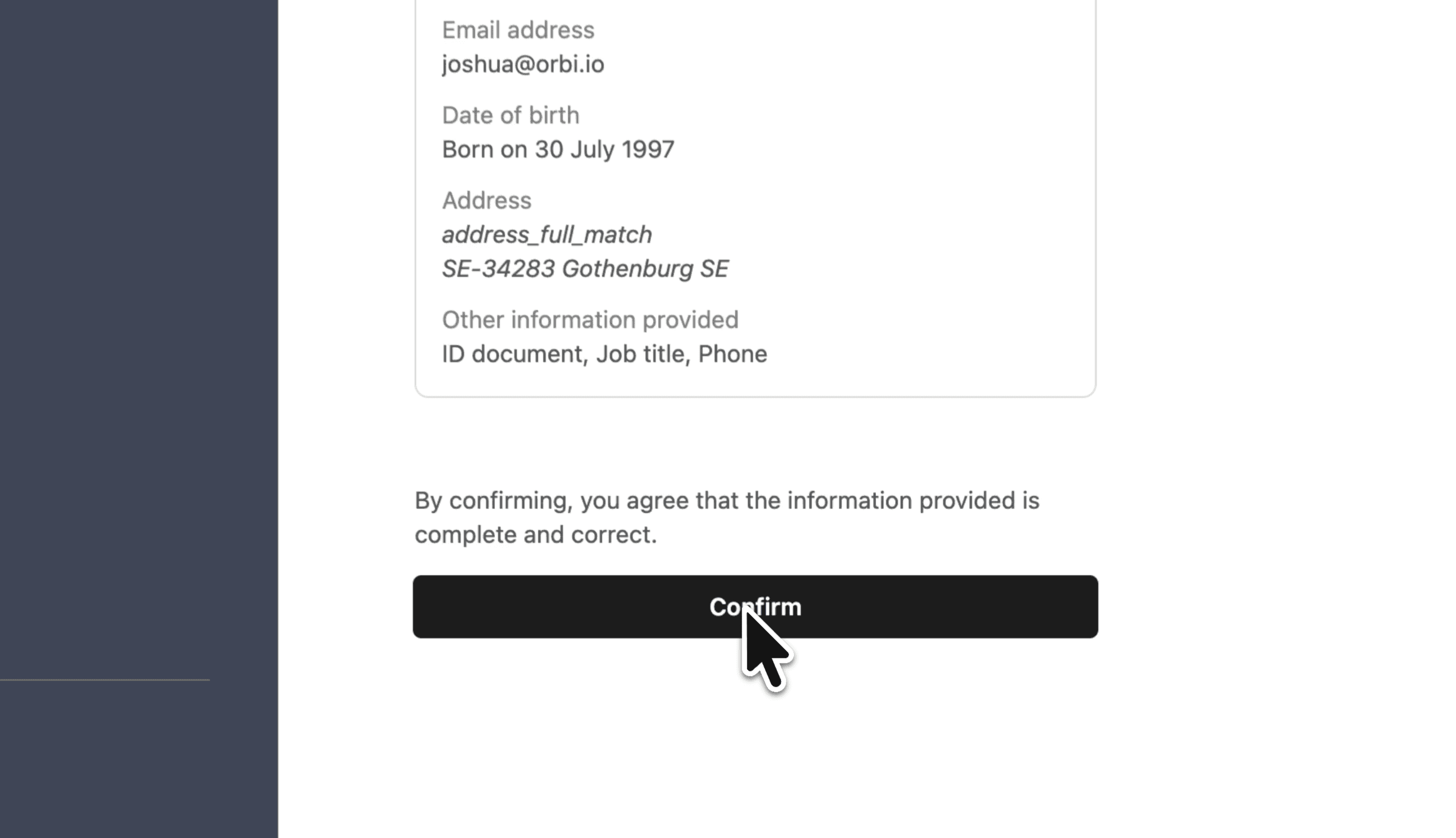
Step 8: Confirm and return to Orbi
Once verification is complete, click Confirm to finish the setup.
You will then be redirected back to Orbi.
Your payouts are now enabled
Your bank account is now connected, and you can start hosting events, selling tickets, and receiving payouts through Orbi Pay.
Was this resource helpful?
Up next
Create your first event
Create your first event, manage tickets, and deliver a great experience for your attendees.
Read more ->